Most useful business data does not live in one warehouse.
It lives in Stripe, GitHub, Linear, Jira, Slack, Postgres, S3, local CSVs, MCP servers, and a long tail of internal HTTP APIs. Every team knows the pattern: someone needs a quick answer, but the data is behind an API. So someone writes a script.
The script handles authentication. Then pagination. Then rate limits. Then JSON parsing. Then retries. Then someone asks to join the result with a CSV or warehouse table, and suddenly the quick script is a small data pipeline nobody wants to own.
There is a better interface for this kind of work: SQL.
Not because every API is secretly a database. APIs are not databases. They have limits, strange shapes, nested responses, and operational behavior. But the questions people ask usually are relational:
SELECT customer_id, COUNT(*) AS open_tickets
FROM support.tickets
WHERE status = 'open'
GROUP BY customer_id
ORDER BY open_tickets DESC;
The problem is not that developers cannot call APIs. The problem is that API calls are the wrong abstraction for repeated analytical questions.
What you'll learn
In this walkthrough, we will turn GitHub's API into something you can query with SQL.
You will define an HTTP source, query pull requests from the CLI, add a parameterized search function, join API data with another source, and decide when a live API call should become cached or materialized data.
The goal is not to replace API clients for every use case. If you need to create an issue, send a message, or update a record, a direct API client or MCP tool is still the right shape. Pawrly is for the read path: the questions, joins, lookups, and recurring analysis that happen before a decision is made.
APIs are call-shaped. Questions are table-shaped.
APIs are designed around operations:
GET /repos/{owner}/{repo}/issues
GET /customers/{id}
GET /search/issues?q=...
Those operations are useful. But once the data comes back, we usually want to shape it into rows and columns.
We want to filter it. We want to aggregate it. We want to join it with something else. We want to hand the same query to a teammate, an agent, a dashboard, a CLI, or a backend service.
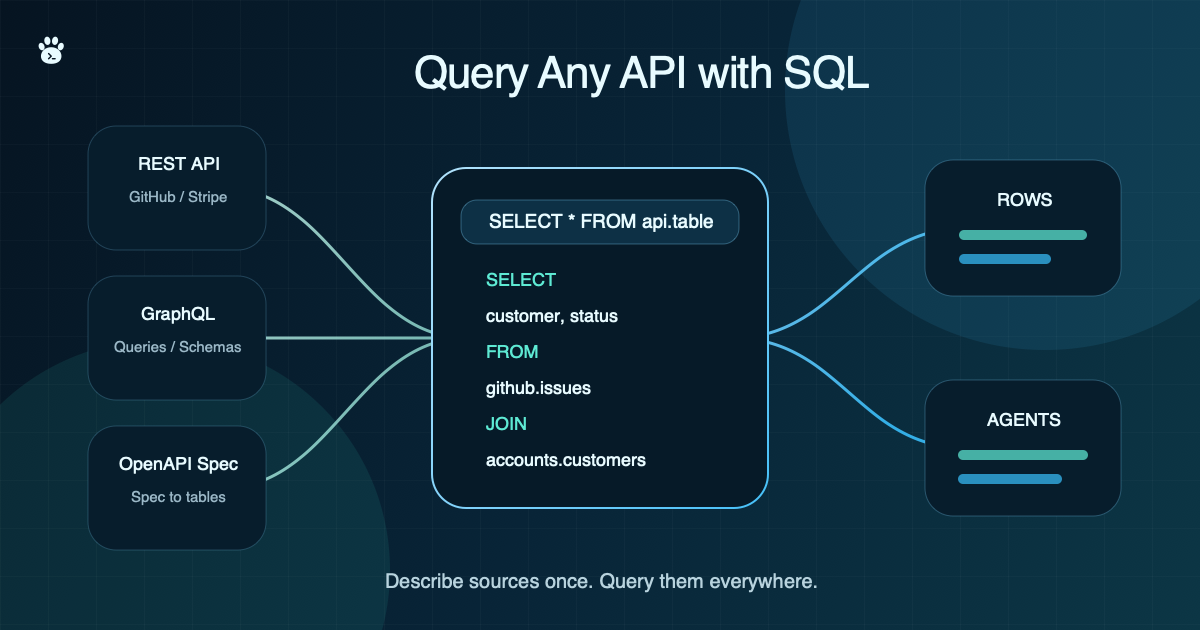
That is where Pawrly comes in. Pawrly lets you expose external systems as SQL sources: files, REST and GraphQL APIs, MCP servers, databases, warehouses, and lakehouse formats. Once a source is configured, it appears as a SQL schema:
SELECT *
FROM github.pulls
WHERE owner = 'CITGuru'
  AND repo = 'pawrly'
  AND state = 'open';
The API is still live behind the scenes. But the user works with SQL.
Turn an API into a source
A Pawrly source starts in pawrly.yaml.
For an HTTP API, you define the base URL, authentication, and the tables or functions you want to expose.
sources:
  - name: github
    kind: http
    config:
      base_url: https://api.github.com
      auth:
        type: header
        headers:
          - name: Authorization
            bearer: "${secret:GITHUB_TOKEN}"
    tables:
      - name: pulls
        endpoint: /repos/{owner}/{repo}/pulls
        params:
          - { name: owner, required: true }
          - { name: repo, required: true }
          - { name: state, required: false, default: open }
        response:
          path: $
          schema:
            - { name: number, type: bigint }
            - { name: title, type: varchar }
            - { name: state, type: varchar }
            - { name: user_login, type: varchar, source: $.user.login }
        pagination: { type: link_header }
Now the API can be queried like a table:
SELECT number, title, user_login
FROM github.pulls
WHERE owner = 'CITGuru'
  AND repo = 'pawrly'
  AND state = 'open'
ORDER BY number DESC;
Run it from the CLI:
pawrly check

pawrly sql "
  SELECT number, title, user_login
  FROM github.pulls
  WHERE owner = 'CITGuru'
    AND repo = 'pawrly'
    AND state = 'open'
  ORDER BY number DESC
  LIMIT 20
"
No custom script. No local JSON parsing. No new one-off integration every time someone asks a slightly different question.
The important part is not just that the API is reachable. It is that the response shape is declared once, named once, and reused everywhere.
If the API already has an OpenAPI spec, you can start even faster. Pawrly can synthesize SQL tables from documented read-only GET operations, then let you patch the few parts that need local judgment, like response paths or pagination. That is useful for large APIs where hand-writing every endpoint would turn into its own project.
Call an endpoint directly with raw_table
Typed tables are best when you know an endpoint is worth keeping. But early in exploration, you may just want to call an endpoint directly without modeling its response yet.
For HTTP sources, raw_table: true registers a raw escape-hatch table named after the source:
sources:
  - name: github
    kind: http
    config:
      base_url: https://api.github.com
      auth:
        type: header
        headers:
          - name: Authorization
            bearer: "${secret:GITHUB_TOKEN}"
    raw_table: true
Then query the source itself:
SELECT response_status, response_body
FROM github
WHERE request_path = '/rate_limit';
The raw table returns the HTTP status and raw response body. You provide the request through filters like request_method, request_path, and request_query.
For example:
SELECT response_body
FROM github
WHERE request_path = '/search/issues'
  AND request_query = 'q=is:open+label:bug+repo:CITGuru/pawrly&per_page=10';
Notice the table name: raw HTTP calls use FROM github, not FROM github.some_table. The typed tables still live under github.<table>, but the raw escape hatch reserves the source name itself.
By default, Pawrly requires a filter on request_path for raw tables, so a bare SELECT * FROM github cannot accidentally fan out across arbitrary endpoints. Use raw calls for exploration, then promote stable endpoints into typed tables or functions when you want reusable columns.
Use functions for parameterized API calls
Some API operations are not naturally full tables. Search endpoints, lookups, and dynamic paths often need arguments.
Pawrly models those as table-valued functions.
sources:
  - name: github
    kind: http
    config:
      base_url: https://api.github.com
      auth:
        type: header
        headers:
          - name: Authorization
            bearer: "${secret:GITHUB_TOKEN}"
    functions:
      - name: search_issues
        description: Search issues with GitHub search syntax.
        endpoint: /search/issues
        args:
          - { name: q, type: varchar, required: true }
          - { name: per_page, type: int, default: "50" }
        response:
          path: $.items
        pagination:
          type: page
          param: page
        returns:
          - { name: number, type: bigint }
          - { name: title, type: varchar }
          - { name: state, type: varchar }
          - { name: user_login, type: varchar, source: $.user.login }
Then call it directly from SQL:
SELECT number, title, user_login
FROM github.search_issues('is:open label:bug repo:pawrly/pawrly', 100)
WHERE state = 'open';
This is the shift: an API operation becomes a reusable query primitive. You can call it from the CLI, from an MCP client, from an agent, or from another SQL query.
Join APIs with everything else
The real value shows up when API data meets other data.
Suppose you have account data in a local CSV and open issues in Linear. You can join them:
SELECT
  a.account_name,
  a.owner,
  i.key,
  i.title,
  i.priority
FROM accounts.customers a
JOIN linear.issues i
  ON i.customer_id = a.customer_id
WHERE i.status != 'done'
ORDER BY i.priority, a.account_name;
Or combine GitHub and Linear:
SELECT
  g.number AS github_issue,
  g.title,
  l.key AS linear_issue,
  l.status
FROM github.search_issues('is:open label:customer-impact', 50) g
LEFT JOIN linear.issues l
  ON lower(l.title) LIKE '%' || lower(g.title) || '%';
In a script-first workflow, every join means more code. In SQL, the join is the point.
Live when you need it, cached when you do not
APIs are not warehouses. Some are slow. Some are expensive. Some have strict rate limits.
That means a good SQL-over-API layer needs more than query syntax. It needs control over freshness and cost.
Pawrly supports live reads, source-level caching policies, and materialized tables. You can query live for operational questions, cache a table for repeated reads, or pin a result when you want a stable snapshot.
For example, materialize top customers from Stripe:
pawrly materialize top_customers \
  "SELECT customer, SUM(amount) AS total
   FROM stripe.charges
   GROUP BY 1
   ORDER BY 2 DESC
   LIMIT 10"
Then query the pinned result later:
SELECT *
FROM materialized.top_customers
ORDER BY total DESC;
This gives you a useful middle ground. You do not need to choose between always hitting live APIs and building a full ETL pipeline before you can ask the first question.
This matters even more for agents
AI agents are only as useful as the data interface they can operate through.
Giving an agent hundreds of raw tools is not enough. It still has to know which tool to call, how to paginate, how to join results, and how to reason about the shape of the data.
SQL gives agents a stable contract:
SELECT status, COUNT(*)
FROM linear.issues
GROUP BY status;
Pawrly's MCP server exposes that same query engine to agents. An assistant can list sources, inspect schemas, describe tables, run SQL, call declared functions, and materialize useful results. The agent does not need bespoke glue for every system.
It can work through one query layer.
Start with the question
Most data workflows do not start as architecture.
They start with a question:
Which customers are blocked by open engineering work?
Which repos have stale pull requests owned by our team?
Which paid accounts have recent support tickets and no follow-up?
If the answer lives behind APIs, you should not have to build a pipeline before you can even explore it. Define the source once. Give it a table or function shape. Query it with SQL. Cache or materialize it when it becomes useful enough to keep.
That is the practical promise of Pawrly: APIs, files, MCP servers, warehouses, and databases become one queryable workspace.
Try it:
curl -fsSL https://pawrly.dev/install.sh | sh
Pawrly is open source: github.com/CITGuru/pawrly.